
Safety
Come APK App Download Play Store – Is Come APK on Google Play?
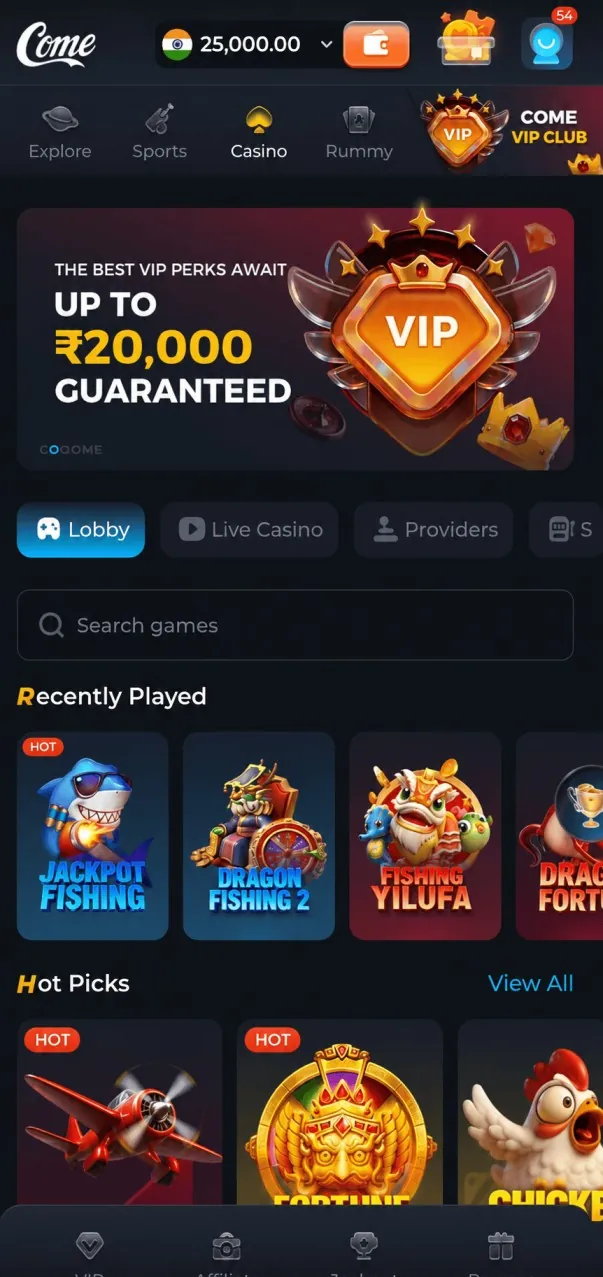
If you are looking for a come apk app download play store link, the honest answer is simple: Come APK is not available on the Google Play Store. It is distributed as a direct APK file, and the only download link used on this site is comeapk.io. Any Play Store listing presenting itself as the official Come app is not the app this site covers.
This article explains why some apps skip the Play Store, how to spot fake "Come" listings, how to install the real file safely, and what Google Play Protect warnings actually mean.
Is Come APK on the Play Store?
No. You will not find the official Come APK, Come Game or Come App on Google Play. Come APK is also not made by, affiliated with or endorsed by Google. That is why searching the Play Store for it either shows nothing useful or shows unrelated apps with similar names.
So if a friend says "just get it from Play Store", they are probably thinking of a different app. The real file is available from the official link, and the details of the current release are on our Come APK download for Android page.
Why Some Apps Are Distributed as Direct APKs
Plenty of legitimate apps are installed outside Google Play. There are a few common reasons, and they apply especially to gaming apps.
Play Store rules for real-money gaming
Google Play allows real-money gaming apps only in certain countries and only when strict, country-specific requirements are met. Those rules vary by region and change from time to time. Many apps that include real-money games therefore choose to publish their Android app as a direct download instead.
Control over updates
Direct distribution lets a developer push a new version without waiting for store review. The trade-off is that you have to update manually or through an in-app prompt.
What this does and does not mean
Not being on Play Store does not automatically make an app unsafe, and being on Play Store does not make an app risk-free. It does mean the job of checking the source moves to you. Download only from the official link and keep your phone's protection turned on.
Play Store vs Direct APK: Quick Comparison
| Point | Google Play Store app | Direct APK (like Come APK) |
|---|---|---|
| Where you get it | Play Store app | Official link: comeapk.io |
| Install setting needed | None | "Install unknown apps" for your browser or file manager |
| Updates | Automatic through Play | In-app prompt or manual download of the new file |
| Play Protect scanning | Yes | Yes, the file can still be scanned on install |
| Warnings during install | Rare | Common, as Android flags apps from outside Play |
| Main risk | Copycat listings with similar names | Fake or modified files on unofficial sites |
How to Spot Fake "Come" Listings
Because people search "come apk play store" so often, copycats try to catch that traffic. Here is what to look for.
On the Google Play Store
- The listing uses the Come name or logo but claims to be "official" – the official app is not on Play.
- The app is a "guide", "tips" or "downloader" app that only shows ads or links elsewhere.
- The developer name, screenshots or description have nothing to do with the games you expect.
- Reviews mention ads, missing features or requests for payment to "unlock" the app.
On third-party APK sites
- Labels like "mod", "hack", "unlimited money" or "VIP unlocked".
- File sizes far from the listed 35 MB, or version numbers that do not match 4.5.
- Several download buttons, pop-ups and forced redirects before any file appears.
- Requests to install another app or enter personal details before downloading.
Some copies also borrow other brand names. Our explainer on come apk download dream11 covers why Come APK is a separate app, and the come come apk guide shows how to confirm you have the right one.
How to Install Safely Outside the Play Store
- Use the official link only. Open comeapk.io in your browser and let the download finish completely.
- Check the file. It should end in .apk and be close to 35 MB. Your phone should run Android 5.0 or newer.
- Allow one source. When prompted, turn on "Install unknown apps" only for the browser or file manager you are using.
- Install and read any warning. If Play Protect shows a message, read it before deciding (see below).
- Review permissions. Allow only what makes sense for how you use the app.
- Switch the setting off. Turn off "Install unknown apps" for that browser once the app is installed.
For where the setting sits on Samsung, Xiaomi, Realme and Vivo phones, and fixes for "App not installed", read our come download apk install guide.
Google Play Protect Warnings Explained
Google Play Protect is Android's built-in scanner. It checks apps from the Play Store and from outside it. When you install a direct APK, you may see messages such as "Unsafe app blocked", "App scan recommended" or "Blocked by Play Protect". The exact wording depends on your phone and Android version.
What the warnings mean
- App scan recommended / Send app for scanning: Play Protect has not seen this file before and suggests uploading it for a check. Choosing to scan is a good idea.
- Unsafe app blocked / built for an older Android version: the app is unfamiliar or targets older Android features. It is a caution, not proof of malware.
- Harmful app detected: this is the serious one. Do not install, delete the file, and download again only from the official link. If it repeats, contact support before going further.
Scan the file yourself
You can open Play Store → profile icon → Play Protect → Scan to check installed apps. Your phone brand's security app (common on Xiaomi, Samsung, Realme and Vivo) can also scan a downloaded file. If any scanner flags the file as harmful, do not install it.
Play Responsibly
Come APK is for users aged 18+. Some games involve real money and financial risk, and nothing guarantees winnings. Set time and money limits, never chase losses, and read our responsible gaming page. Online gaming laws differ by state and country, so check they allow it where you live.
Come APK App Download Play Store: The Bottom Line
The come apk app download play store search has a clear answer: the app is not on Google Play, and listings claiming otherwise are not official. Get the file only from comeapk.io, allow unknown apps for a single source, keep Play Protect on and read its warnings. For everything else about the app, visit the Come APK home page, or ask support on Telegram.
Frequently Asked Questions
Is Come APK on Play Store?
No. Come APK is not listed on the Google Play Store. It is distributed as a direct APK from comeapk.io.
I found a "Come" app on the Play Store. Is it the real one?
No listing on Play is the official Come APK covered here. Treat such listings as unrelated or copycat apps and avoid entering personal or payment details in them.
Why is the come apk play store listing missing?
Google Play only allows real-money gaming apps in certain countries under strict rules, so many such apps publish direct APKs instead. Come APK is distributed this way.
Is it safe to install Come APK from outside the Play Store?
Installing outside Play is normal on Android, but safety depends on the source. Use only the official link, keep Play Protect on, and allow unknown apps just for one source.
What should I do if Play Protect blocks the install?
Read the message. For an "app scan recommended" prompt, let it scan; if it says the app is harmful, delete the file and download again only from the official link.
Related posts
Download & Install
Come Download APK: Install Guide & Error Fixes
A practical come download APK guide: where to get the real file, how to allow unknown apps on any Android phone, and how to fix common install errors.

Safety
Come Come APK: Same App as Come APK? Spot Fake Copies
Why people search "come come apk" or "come-come apk", why it is the same Come APK app, and a simple checklist to spot fake copies before you install.

Versions & Updates
Come APK New Version: What's New and How to Update
What's new in the Come APK new version, how to check which version you have, and how to update to the latest build without losing your account or app data.